Step into the demo room
Book a table as a guest in a real dining room, then switch to the back office and watch it arrive. Demo data, no sign-up.
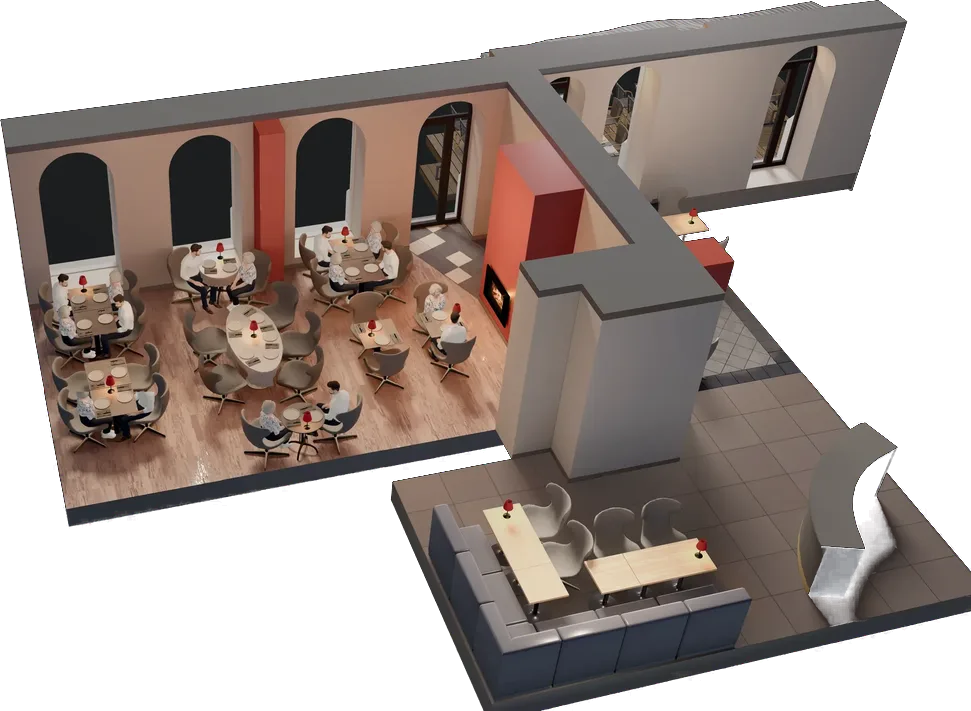
Demo room
Demo data. Nothing is sent.
Prefer the restaurant's own booking page? Open it in a new tab. Same engine, its own demo book.
Three things to try
It takes about two minutes, and you can start over by reloading the page.
Pick a table
Choose a party, a date and a time, then a table. Only tables that fit are offered.
Book it
Type any name and an address like name@example.com. The table is held for five minutes.
Find it in the back office
Switch sides and find it in tonight's book. Cancel it there and the table is free again.
What the demo stores
Sample data, built in your own browser.
- 01Nothing leaves the pageNothing is sent to a restaurant or to us.
- 02Set to your own weekThe sample bookings move to this week.
- 03Reload and it is goneThe table you booked is free again.
The room, in 2D or 3D
On a desktop the table step opens the full 3D room. A phone starts on the 2D plan and loads 3D only when asked.
For a guest who cannot use a mouse or a touch, the room has a list of the same tables, and the booking works from it.
Questions about the demo
The short answers. More are on the full FAQ.
Is anything I book in the demo real?
No. The demo book is built in your browser from sample guests, with the dates moved to your own week. Nothing is sent to a restaurant or to us, and reloading the page puts the week back. Read the privacy notice
Do I need to sign up?
No. There is no sign-up and no account. The booking form asks for a name and an email address as a real one would: type any name and an address like name@example.com, because it stays in this page. Or book a walkthrough
Is the room 2D or 3D?
On a desktop the table step opens the full 3D room. A phone starts on the 2D plan and can switch to 3D. Read about table selection
Is this my restaurant?
It is a restaurant we built for, running on the system. On a walkthrough we set your own tables beside it: send a photo of your dining room first and we bring them to the call. Read the case study
What is the back office tab?
The staff side of the same system: tonight's book, the floor and the guest book. A booking you make on the guest side appears there at once, and cancelling it there frees the table on the guest side. See everything the back office does
Your room, built the same way
Book a walkthrough and we set your own restaurant up beside the demo room, on your floor plan and in your brand.